The best wireless headsets for work balance clear call controls, comfortable wear, and connections that suit your computer and phone. These options range from purpose-built work headsets with boom mics to multipurpose models, so choose based on your meeting habits and whether you want open-ear or on-ear wear.
Quick Top Products
SHOKZ OpenMeet
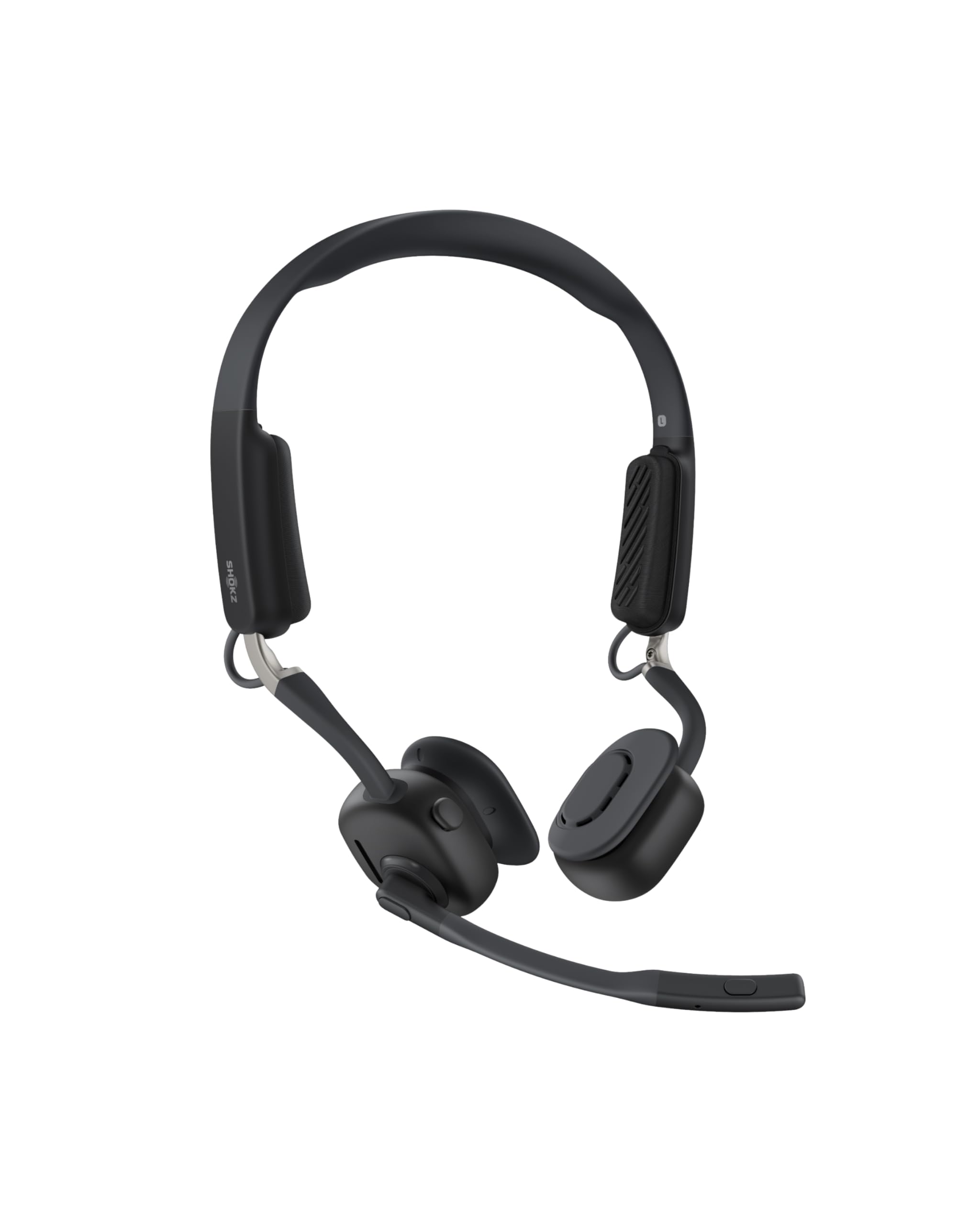
- Open-ear design and customizable fit with three cushion sizes.
- A dedicated mic button and busy indicator support call management.
- Up to 15 hours of battery life, with a quick-charge option.
Best For: People who want to take calls while staying connected to nearby sounds.

JLab Go Work

- Connects to two devices simultaneously through Bluetooth multipoint.
- Includes a cable for wired use and a rotating boom mic.
- 45+ hours of battery life and an LED mute indicator.
Best For: People switching between a laptop and phone who want a dedicated boom mic and wired fallback.
JLab JBuds Work

- Over-ear headset with a boom mic for work calls.
- 60+ hours of use and Bluetooth multipoint for two devices.
- Includes a USB-C to 3.5mm cable and a mute indicator.
Best For: People who prefer an over-ear work headset with long battery life and clear mute status.
JLab Go Work Pop

- Pairs with two devices using Bluetooth multipoint.
- The boom mic flips up to mute and down for calls.
- Offers 50+ hours of playtime and USB-C charging.
Best For: People looking for a lightweight on-ear headset with flip-to-mute and two-device pairing.
JLab Epic Work ANC
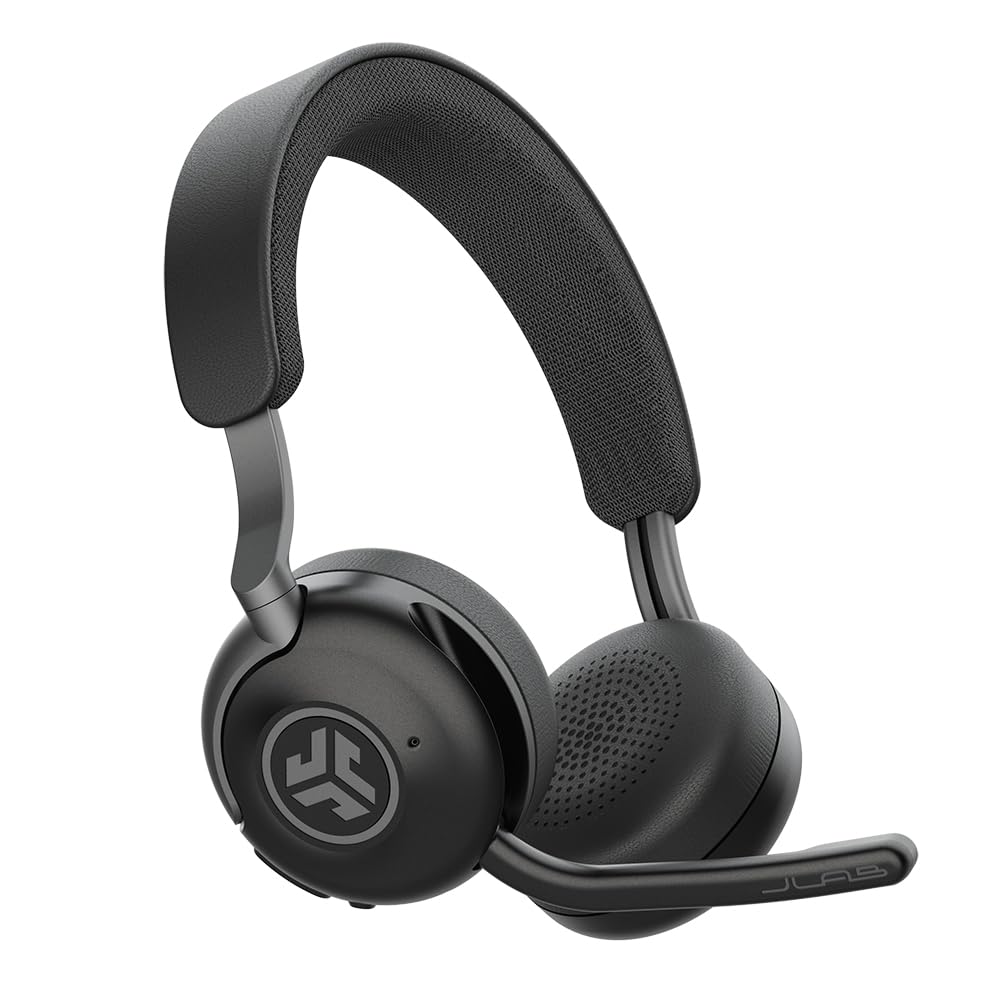
- Includes a charging hub and offers 90+ hours of wireless playtime.
- ANC reduces ambient noise by up to 30 dB, with Be Aware functionality.
- Multipoint Bluetooth and app-based EQ and ANC controls.
Best For: People who want active noise control, a charging hub, and a headset designed for extended work sessions.
JLab Go Lux ANC
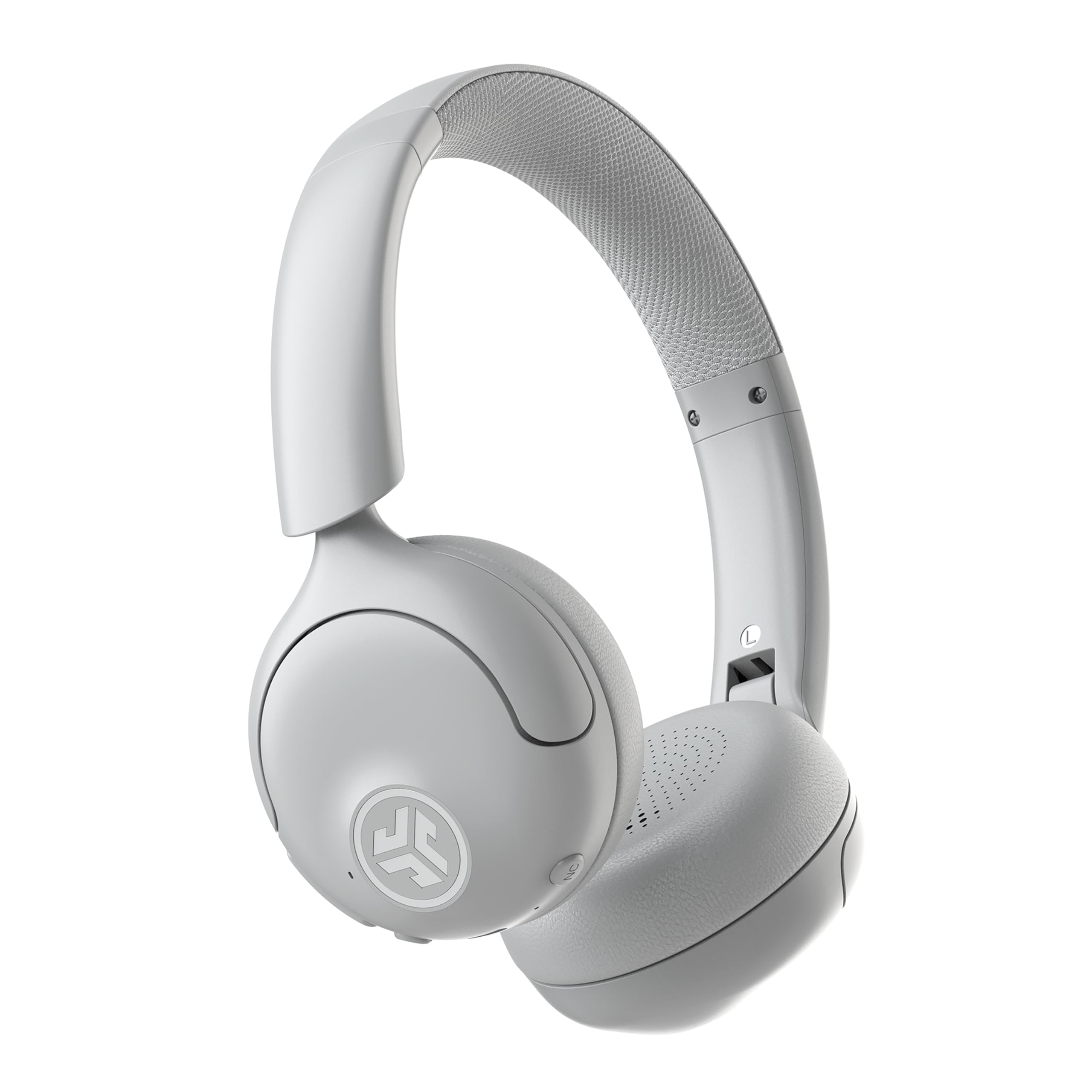
- Hybrid ANC reduces ambient noise by up to 30 dB, with a Be Aware mode.
- Bluetooth multipoint connects two devices simultaneously.
- Up to 50 hours of playtime and app-adjustable controls.
Best For: People who want noise reduction and multipoint pairing in a general-purpose on-ear headset.
SteelSeries Arctis Nova Pro Wireless

- Connects two systems at once and allows toggling between them.
- Two hot-swappable batteries are included with a base station.
- Bluetooth connects a mobile device for calls or music.
Best For: People who want one headset to switch between two systems and mix mobile calls with audio.
SteelSeries Arctis Nova 5 Wireless
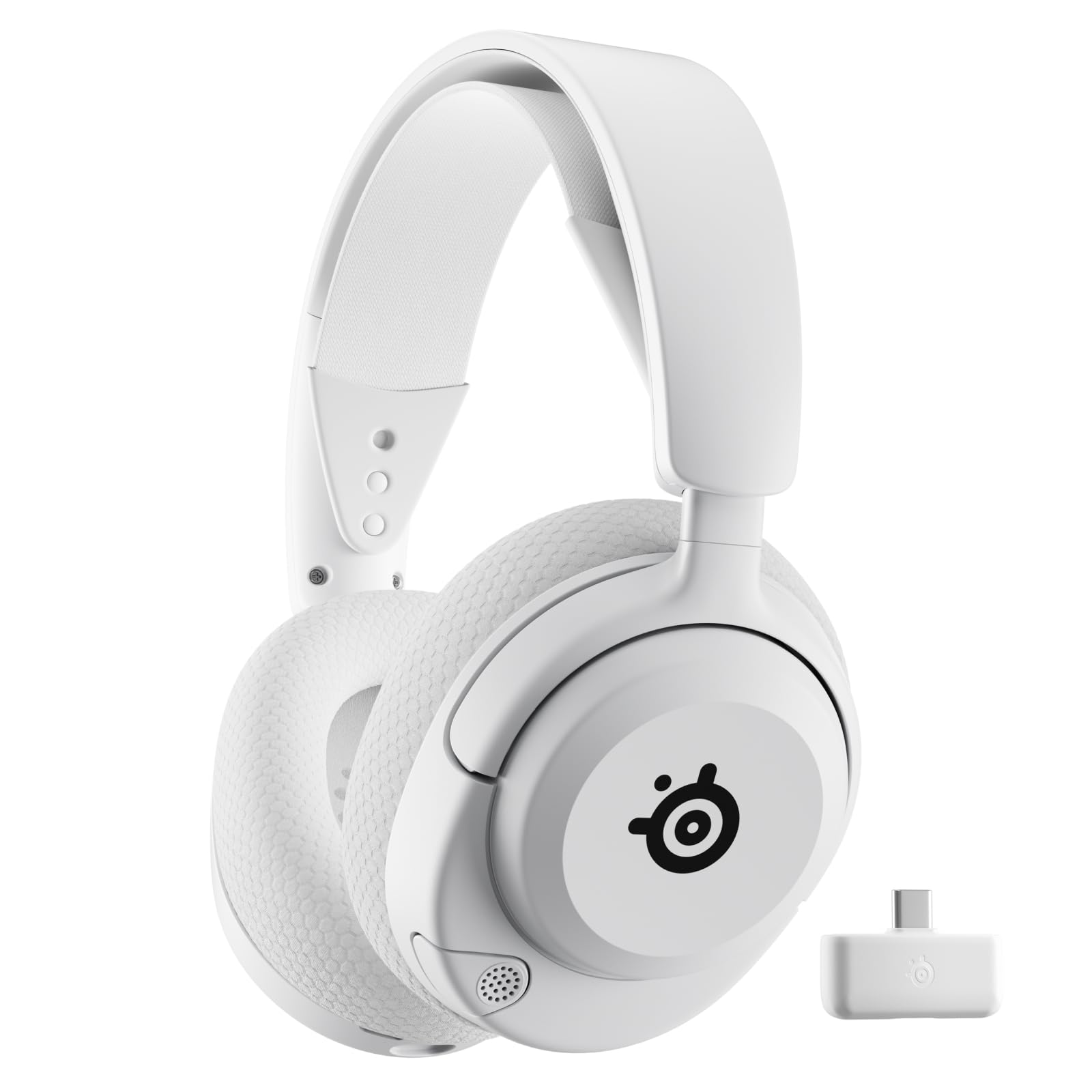
- Switches between 2.4GHz wireless and Bluetooth 5.3.
- 60-hour battery and fast charging provide extended use.
- Includes a retractable ClearCast microphone.
Best For: People who want a long-runtime headset that can switch between a wireless system connection and Bluetooth.
Open-Ear Awareness
SHOKZ New OpenMeet - Open-Ear Bluetooth Computer Headset, Noise Cancelling Mic + Mute Button, Bluetooth 5.4 Compatible with PC & Mac, Wireless Work Headphones, Customizable Fit, Smart App - C610
The SHOKZ OpenMeet uses an open-ear design, so you can hear your surroundings while staying connected to work audio. It weighs 78g and has a customizable fit with three interchangeable temple cushion sizes.
A dedicated mic button handles muting, and an LED indicator can signal when you are busy. Multipoint pairing connects up to two devices through the Shokz app.
Battery life is up to 15 hours, with a five-minute fast charge providing two hours of talk time. Its open fit favors awareness over enclosing your ears, while the specified battery life is shorter than several on-ear alternatives here.
Best For: People who want to take calls while staying connected to nearby sounds.
| Pros | Cons |
|---|---|
|
|
Choose the OpenMeet if hearing your surroundings matters during calls and you prefer an open-ear fit. Its dedicated mute button and two-device pairing suit a work setup that moves between a computer and phone.
The documented battery life is up to 15 hours, while other options here specify longer runtimes. Check that the open-ear design and its cushion fit suit your work environment, and confirm compatibility with your devices before buying.
Everyday Calls and Multipoint
JLab Go Work Wireless Headsets with Microphone, 45+ Playtime PC Bluetooth Headset and Multipoint Connect to Laptop Computer and Mobile, Wired or Wireless Headphones (1 Pack)
The JLab Go Work is an on-ear wireless headset built around calls and everyday device switching. Bluetooth multipoint connects to two devices at once, and the included USB-C to 3.5mm cable offers a wired option.
Its dual-microphone C3 Calling system is designed to reduce environmental sounds around your voice. The boom mic rotates away for listening, and a red LED indicates when mute is on.
JLab specifies 45+ hours of use on a charge and Cloud Foam earcups for comfort. This combination suits regular video meetings, though the on-ear fit may not be right for everyone who wears a headset for long stretches.
Best For: People switching between a laptop and phone who want a dedicated boom mic and wired fallback.
| Pros | Cons |
|---|---|
|
|
Pick the Go Work if your workday moves between a laptop and phone and you value both Bluetooth multipoint and a wired connection. The rotating boom mic and visible mute indicator are practical for video calls, while 45+ hours of battery life reduces the need for frequent charging.
It uses an on-ear fit, unlike the over-ear JBuds Work. Check whether that fit and the included cable's 3.5mm connection match your preferences and devices.
Over-Ear Workday Comfort
JLab JBuds Work Wireless Headset with Microphone, Over Ear Computer Headsets, Wired or Wireless Headphones with 60+ Playtime, Multipoint Bluetooth Headset for Laptop Teams, Office with Mic (16 Pack)
The JLab JBuds Work pairs an over-ear fit with a boom microphone and work-oriented call controls. Bluetooth multipoint connects to two devices, and an included USB-C to 3.5mm cable allows wired use.
JLab specifies 60+ hours of use on a charge. The boom mic rotates for listening-only use, flips down to answer a call, and flips up to hang up.
A button on the earcup controls mute, while a red LED indicates mute status. Cloud Foam earcups and Voice or Music EQ modes round out the feature set.
Its 16-pack title makes the offer size worth verifying before purchase.
Best For: People who prefer an over-ear work headset with long battery life and clear mute status.
| Pros | Cons |
|---|---|
|
|
Choose JBuds Work if you want an over-ear fit and specific call actions built into the boom mic. It combines two-device multipoint, wired use, and a 60+ hour battery claim, with an LED that makes mute status visible.
Its title identifies a 16-pack, which may be a poor fit for an individual buyer. Confirm the quantity and whether the over-ear design is comfortable for your routine before ordering.
Lightweight Boom-Mic Pick
JLab Go Work Pop, On-Ear Wireless Headset, Bluetooth Multipoint, Noise Canceling Boom Mic, Black
The JLab Go Work Pop is a lightweight on-ear headset with a rotating boom mic and Bluetooth multipoint for two devices. Its flip-to-mute control works by rotating the mic up to mute and down to activate it for calls.
The headset offers 50+ hours of wireless playtime, USB-C charging, and Voice and Music EQ modes. Cloud Foam earcups are intended for longer work sessions, while the microphone's noise-canceling MEMS design targets clearer calls.
It is a focused, straightforward work option; it does not document a wired connection in the supplied details, so buyers who need one should check before purchase.
Best For: People looking for a lightweight on-ear headset with flip-to-mute and two-device pairing.
| Pros | Cons |
|---|---|
|
|
The Go Work Pop fits buyers who want a lighter on-ear headset with a physical boom mic and simple flip-to-mute operation. Its 50+ hour runtime and two-device multipoint pairing support a work routine that alternates between a computer and phone.
The details provided do not establish a wired fallback, unlike the Go Work and JBuds Work. If wired use is important, verify that capability and your computer's Bluetooth compatibility before choosing it.
Charging Hub and Noise Control
JLab Epic Work ANC Wireless on-Ear Headset with Microphone, smart Noise Cancellation, multipoint Connect, Charging hub, Black
The JLab Epic Work ANC combines an on-ear headset with active noise cancellation, a rotating adaptive ENC microphone, and a charging hub. Its ANC reduces ambient noise by up to 30 dB, while Be Aware functionality keeps ambient sounds accessible when needed.
Multipoint Bluetooth connects multiple devices, and the JLab Work app provides EQ and ANC controls. JLab specifies 90+ hours of wireless playtime.
For calls, it has quick mute and a Hear Yourself mode. This model offers more noise-management controls and a charging hub than the simpler work headsets here, but the supplied details do not identify a wired connection or the exact number of simultaneous devices.
Best For: People who want active noise control, a charging hub, and a headset designed for extended work sessions.
| Pros | Cons |
|---|---|
|
|
Choose the Epic Work ANC if you want active noise control and a charging hub as part of a work headset. Its Be Aware mode, quick mute, and Hear Yourself feature give you several ways to manage calls and awareness, while its stated runtime is 90+ hours.
Check whether your setup needs a wired connection or a specific multipoint device count, since those details are not established here. It is more feature-rich than the Go Work Pop, which focuses on basic pairing and flip-to-mute.
ANC for Calls and Commuting
JLab, Go Lux ANC, On Ear Headphones, Active Noise Cancelling, Bluetooth MultIPoint, Cloud White
The JLab Go Lux ANC is a multipurpose on-ear headset with hybrid active noise cancellation and Bluetooth multipoint for two devices. Its ANC reduces ambient noise by up to 30 dB, and Be Aware mode lets surrounding sound in when needed.
The JLab app can adjust ANC and Be Aware levels, customize EQ, and remap touch controls. JLab specifies up to 50 hours of playtime.
Cloud Foam earcups and a shaped headband are included for comfort. Unlike the work headsets with boom microphones, the supplied information does not identify a dedicated boom mic, so buyers who take frequent calls should check microphone design and controls before choosing it.
Best For: People who want noise reduction and multipoint pairing in a general-purpose on-ear headset.
| Pros | Cons |
|---|---|
|
|
The Go Lux ANC suits buyers who want noise control and two-device pairing for a mix of work, travel, and listening. Its app provides ANC and Be Aware adjustments, and the stated runtime is up to 50 hours.
The supplied details do not establish that it has a boom microphone, which makes it less clearly call-focused than the Go Work options. Check its microphone and call controls if meetings are the main reason you are buying a headset.
Dual-System Wireless Setup
SteelSeries Arctis Nova Pro Wireless Multi-System Gaming Headset — Neodymium Magnetic Drivers — Active Noise Cancellation — 2 Battery System — ClearCast Gen 2 Mic — PC, PS5, PS4, Switch, Mobile
The SteelSeries Arctis Nova Pro Wireless is a gaming-oriented headset that can still serve work setups needing multiple audio sources. Its base station connects two systems at once and lets you toggle between them.
Two hot-swappable batteries are included, with one charging in the base station while the other is in use. Bluetooth can connect a mobile device for calls or music mixed with game audio.
Active noise cancellation and Transparency Mode offer different listening modes. However, the supplied details do not describe work-specific call controls or a mic mute indicator, so frequent meeting users may prefer a headset built around calls.
Check system compatibility and how its gaming-focused controls fit your routine.
Best For: People who want one headset to switch between two systems and mix mobile calls with audio.
| Pros | Cons |
|---|---|
|
|
Consider the Nova Pro Wireless if your desk includes two systems and you want to switch between them while mixing phone calls or music over Bluetooth. Its two-battery arrangement supports extended use without waiting for the headset battery to recharge.
It is gaming-oriented, and the supplied details do not establish a dedicated mute indicator or the work-call actions found on the JLab models. Check how the base station connects to your systems and whether its controls suit your meeting software.
Long Runtime and Quick Switching
SteelSeries Arctis Nova 5 Wireless Multi-System Gaming Headset — White — Neodymium Magnetic Drivers — 100+ Audio Presets — 60 HR Battery — 2.4GHz or BT — Gen2.X Mic — PC, PS5, PS4, Switch, Mobile
The SteelSeries Arctis Nova 5 Wireless is a gaming headset with features that can also suit a workday split between computer audio and mobile calls. A button switches between 2.4GHz wireless and Bluetooth 5.3, and the headset supports calls while gaming.
It has a retractable microphone and a 60-hour battery claim; USB-C fast charging provides six hours of use after 15 minutes. The companion app offers more than 100 game audio presets, a feature aimed mainly at gaming rather than meetings.
The supplied information does not specify multipoint pairing or a dedicated call mute indicator, so check those details if they matter to your work setup.
Best For: People who want a long-runtime headset that can switch between a wireless system connection and Bluetooth.
| Pros | Cons |
|---|---|
|
|
Pick the Nova 5 if you want a gaming headset that can switch between 2.4GHz and Bluetooth, with a retractable mic and long specified battery life. Fast charging is useful when you need a quick return to use.
Its audio presets are designed around games, and the supplied facts do not confirm multipoint pairing or a dedicated mute indicator. Check whether its mode switching and call controls match your meeting habits before treating it as a work-first headset.
How to Choose Wireless Headsets For Work
How We Picked Wireless Headsets for Work
We prioritized features that map directly to a workday: a microphone designed for calls, visible or physical mute controls, flexible computer-and-phone pairing, and battery information. That is why the JLab Go Work, JBuds Work, and Go Work Pop form the call-focused core of this group.
They pair with two devices, use boom microphones, and include controls aimed at meetings.
We also included different fits and use patterns. The SHOKZ OpenMeet is open-ear for people who want nearby sounds accessible.
The Epic Work ANC adds active noise control and a charging hub. The Go Lux ANC is a more general on-ear option.
The SteelSeries models are gaming-oriented, but their system switching, Bluetooth, retractable microphones, or replaceable batteries may suit some hybrid desk setups. We left out general listening headphones and a children's headset where work-call features were less established.
Comparing Wireless Headsets for Work
The clearest distinction is how each handles calls. Go Work and JBuds Work include boom microphones, with the latter adding over-ear coverage and controls for answering and hanging up.
Go Work Pop keeps a boom mic and flip-to-mute control in a lightweight on-ear design. Epic Work ANC adds a charging hub, quick mute, and Hear Yourself mode.
OpenMeet takes a different path with an open-ear fit and dedicated mute button.
Connections and power also separate the options. Go Work and JBuds Work include a USB-C to 3.5mm cable, while the selected details for Go Work Pop do not specify wired use.
The OpenMeet pairs up to two devices; Epic Work ANC and Go Lux ANC offer multipoint, with the Go Lux explicitly describing two-device pairing. Nova Pro Wireless switches between two systems and includes two hot-swappable batteries.
Nova 5 switches between 2.4GHz and Bluetooth. The comparison table below summarizes the key differences.
| Product | Standout features | Best for |
|---|---|---|
| SHOKZ OpenMeetCheck Price |
| People who want to take calls while staying connected to nearby sounds. |
| JLab Go WorkCheck Price |
| People switching between a laptop and phone who want a dedicated boom mic and wired fallback. |
| JLab JBuds WorkCheck Price |
| People who prefer an over-ear work headset with long battery life and clear mute status. |
| JLab Go Work PopCheck Price |
| People looking for a lightweight on-ear headset with flip-to-mute and two-device pairing. |
| JLab Epic Work ANCCheck Price |
| People who want active noise control, a charging hub, and a headset designed for extended work sessions. |
| JLab Go Lux ANCCheck Price |
| People who want noise reduction and multipoint pairing in a general-purpose on-ear headset. |
| SteelSeries Arctis Nova Pro WirelessCheck Price |
| People who want one headset to switch between two systems and mix mobile calls with audio. |
| SteelSeries Arctis Nova 5 WirelessCheck Price |
| People who want a long-runtime headset that can switch between a wireless system connection and Bluetooth. |
Choosing a Work Headset for Calls and Focus
For frequent meetings, prioritize a boom mic with a clear mute action and visible mute status. Go Work and JBuds Work both have a red LED mute indicator.
Go Work Pop flips up to mute, while Epic Work ANC adds quick mute and Hear Yourself mode. If coworkers or household sounds matter, ANC models offer another tool: Epic Work ANC and Go Lux ANC both specify reduction of up to 30 dB, with Be Aware functionality for ambient sound.
Do not assume all multipoint systems behave the same way. Check whether your headset can stay connected to your work computer and personal phone at once, and whether it switches cleanly for the calls you take.
The supplied details specify two-device pairing for OpenMeet, Go Work, JBuds Work, Go Work Pop, and Go Lux ANC. Epic Work ANC says multiple devices but does not specify a count.
For gaming-first choices, confirm the connection type and mic controls with your computer and meeting software.
Finding a Comfortable Wireless Work Headset
Fit is personal, so choose a design that suits how long and where you wear it. OpenMeet leaves ears open, while the JLab Go Work and Go Work Pop are on-ear.
JBuds Work is over-ear, and the supplied Go Lux ANC details mention shaped Cloud Foam earcups and a headband. Consider whether you need to stay aware of nearby conversations or would rather use noise control to reduce distractions.
Battery claims vary, and the stated figures are not directly comparable descriptions of call time versus playback time. The selected products specify 15 hours for OpenMeet, 45+ for Go Work, 60+ for JBuds Work, 50+ for Go Work Pop, 90+ for Epic Work ANC, up to 50 for Go Lux ANC, and 60 hours for Nova 5.
Nova Pro Wireless uses two hot-swappable batteries. Think about how often you can charge at your desk, and whether a charging hub, fast-charge feature, or removable battery setup is more useful than a single runtime figure.
Who Should Buy Which Wireless Work Headset?
Choose SHOKZ OpenMeet if you want an open-ear fit and a dedicated mute button. Choose JLab Go Work Pop for a lightweight on-ear headset with flip-to-mute, or Go Work if you also want the included wired cable.
JBuds Work is the over-ear work option with 60+ hours specified and call answer and hang-up actions, but confirm the 16-pack quantity before ordering.
Choose Epic Work ANC if a charging hub, ANC, and Hear Yourself matter. Go Lux ANC suits buyers who want app-adjustable noise control and multipoint for work and general listening, after confirming its microphone setup.
SteelSeries Nova Pro Wireless and Nova 5 fit people who already prefer gaming headsets and can use their system switching and audio features for work.